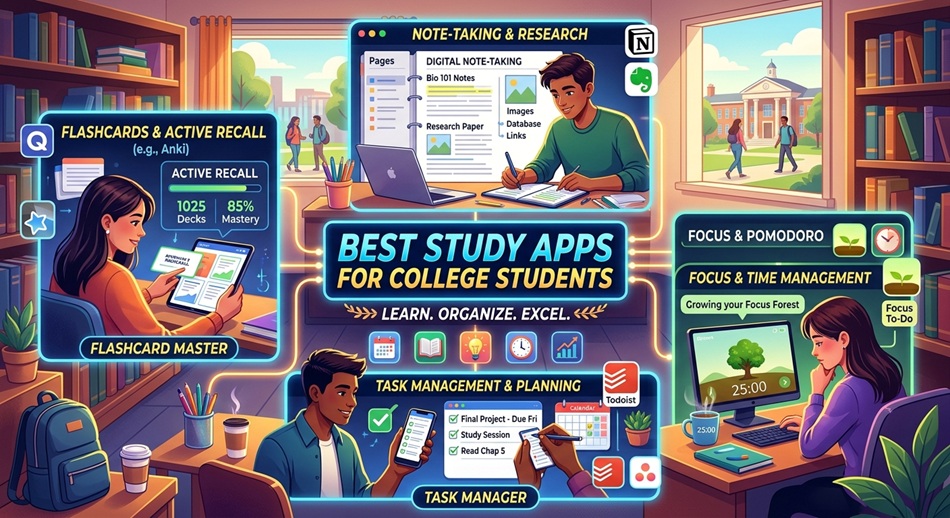
Every “best study apps for college students” list reads the same: ten logos, a one-line description, a link. What none of them mention is that most students who download six study apps in the first week of the semester are using zero of them by week six. The best study app is the one with the least friction between opening your laptop and actually reviewing the material. It’s not the one with the most features crammed into a free tier.
A study app only earns its place if it removes one specific kind of friction: recalling facts, capturing notes fast enough to keep pace with a lecture, or protecting your attention long enough to sit with the material. Apps that try to do all three at once usually do none of them well. That’s the biggest way this guide differs from the rest.
How I judged these (and why most roundups get this wrong)
Most “best study apps” articles are written by people who opened each app once, screenshotted the homepage, and moved on. I’ve used a chunk of this list through actual semesters: cramming for organic chemistry finals with Anki decks at 1 a.m., losing an entire set of lecture notes because I trusted a note app’s sync before checking it had actually synced, paying for Notability the year it switched to a subscription and being annoyed about it.
Three things separate a genuinely useful pick from filler on a list like this:
- Does it match one job well, instead of being a mediocre generalist. A flashcard app that also does notes, and a notes app that also does flashcards, are both usually worse at the thing you actually need than a tool built for just that.
- Does the free tier survive a real semester, not just a demo. A lot of “free” study apps cap you at 50 cards, two notebooks, or 20 minutes of transcription; fine for a trial, useless by midterms.
- Is there a genuine limitation, because every app has one, and articles that only list pros are selling you something.
Best study apps for college students in 2026
1. Anki: best for spaced repetition and heavy memorization
Anki has been the default flashcard app for pre-med, nursing, and language students since roughly 2006, and nothing has meaningfully replaced it. It uses spaced repetition: cards you get wrong show up again soon, cards you nail get pushed further out, so your review time goes toward what you’re actually forgetting instead of re-reading things you already know.
Standout feature: the algorithm itself, plus shared decks. For common courses like Step 1 prep, intro Spanish, or anatomy, someone has likely already built and shared a deck, saving you the setup time.
Pricing: free on Windows, Mac, Linux, and Android; the iOS app (AnkiMobile) is a one-time purchase, currently around $25–30, which funds ongoing development.
Honest limitation: the interface looks like it’s from 2010, because large parts of it are. Building good cards takes real effort up front, and if you just import someone else’s deck without understanding the material, you’re memorizing without learning.
2. Quizlet: best for pre-made flashcards and quick recognition practice
Quizlet’s advantage over Anki isn’t the algorithm; it’s the library. If you’re in a large intro course, there’s a good chance a classmate already uploaded a matching deck, complete with the professor’s exact terminology.
Standout feature: Learn mode and the various game formats (Match, Gravity) make review feel less like a chore, which matters when you’re weighing “the scientifically better app” against “the app I’ll actually open.”
Pricing: free tier covers basic flashcards and study modes; Quizlet Plus runs roughly $8/month or about $36 billed annually, and adds AI-generated practice tests and offline access.
Honest limitation: recognizing a term in a multiple-choice format isn’t the same skill as recalling it cold on an exam, and Quizlet leans harder into recognition than Anki does. User-made decks also vary wildly in accuracy. Nobody’s fact-checking them.
3. Notion: best for organizing everything else
Notion isn’t really a study app so much as a flexible database that a lot of students bend into one. It’s excellent as a class hub: syllabus, reading list, assignment tracker, and notes all linked on one page per course.
Standout feature: databases and templates. Build one class template, duplicate it for every course, and you’ve got a consistent system running across a full semester in about fifteen minutes.
Pricing: the free personal plan is generous; Notion also offers its paid Plus plan free to students with a verified .edu email, which is the same tier working professionals pay roughly $10/month for.
Honest limitation: Notion rewards procrastination disguised as productivity. Building the perfect color-coded dashboard feels like studying, and it isn’t. It also isn’t built for fast handwritten capture during a lecture; typing keeps up better than most people think, but if your class is math-heavy, you’ll fight the app more than you’ll use it.
4. RemNote: best for combining notes and spaced repetition
RemNote is what you’d get if Notion and Anki had a baby that specialized in memorization. You take outline-style notes, and any line can be turned into a flashcard automatically, so review material builds itself as you take notes instead of becoming a separate task for later.
Standout feature: the built-in spaced repetition scheduler works on your actual notes, not a separate deck you have to maintain twice.
Pricing: free tier is usable for a full course load; RemNote Pro is around $6–8/month billed annually and unlocks PDF annotation and more flashcard types.
Honest limitation: it’s less polished than Notion and has a smaller community, so fewer templates and tutorials exist. The mobile app also lags behind the desktop version, which matters if you’re reviewing between classes.
5. Notability: best for handwritten notes with audio sync
If you’re on an iPad with an Apple Pencil, Notability solves a specific problem well: it records the lecture audio while you write, and later you can tap any word in your notes to jump to that exact moment in the recording. For anyone who’s ever missed a key point because the professor moved too fast, that’s a meaningfully different experience than a plain notes app.
Standout feature: audio-synced handwriting, plus decent handwriting-to-text search so you can find a note without remembering which page it’s on.
Pricing: switched to a subscription model a few years back, now around $15/year, with a free tier that caps how many new notes you can create per month.
Honest limitation: Apple ecosystem only. No Android version, no Windows version, full stop. If your study group is split across devices, you’re the one who ends up exporting PDFs for everyone else.
6. GoodNotes: best alternative for handwritten note-takers
GoodNotes plays in the same space as Notability but leans harder into the “digital notebook” feel: better PDF annotation, more paper templates, and handwriting recognition that’s a bit more forgiving of messy writing when you search your notes later.
Standout feature: annotating PDFs directly, which makes it strong for law, medicine, or any major where you’re marking up dense readings rather than starting from a blank page.
Pricing: subscription around $9–10/year, with occasional one-time lifetime purchase options; a limited free tier exists but caps you at three notebooks.
Honest limitation: same Apple-only ceiling as Notability, and it doesn’t do audio recording nearly as well. If audio sync is the reason you want a handwriting app, GoodNotes isn’t that app.
7. Forest: best for keeping your phone out of your hands
Forest gamifies putting your phone down: you plant a virtual tree, and if you leave the app to check Instagram before your timer runs out, the tree dies. It sounds silly, and it works better than it should, mostly because losing a tree you’ve been growing for twenty minutes stings more than logic says it should.
Standout feature: the guilt mechanic works better in practice than most “focus” apps that just block sites, because it’s emotional rather than purely restrictive.
Pricing: one-time purchase, usually under $4, with a free tier on Android that’s more limited.
Honest limitation: it’s an honor system. Nothing stops you from just closing the app when you want to check your phone; it works because you decide to let it work, not because it enforces anything technically.
8. Todoist: best for managing assignments and deadlines
Todoist is a task manager, not a study app specifically, but deadline management is half the battle in college and most students handle it badly with sticky notes or nothing at all. You can type “read chapter 6 Tuesday 4pm” and it parses that into a scheduled task automatically.
Standout feature: natural language input and priority flags, so a chaotic week of five assignments and two exams gets sorted by what matters first.
Pricing: free tier covers a solid number of active projects; Todoist Pro is around $4–5/month billed annually and removes the project limits.
Honest limitation: it’s a list, not a calendar; there’s no real time-blocking view without pairing it with something else, and the natural language parser occasionally guesses the wrong date if your phrasing is unusual.
9. Google Calendar: best free option for time-blocking around classes
It’s not exciting, but Google Calendar remains the most reliable way to see your whole week at a glance: classes, work shifts, study blocks, and social plans in one view, synced across every device you own without a second thought.
Standout feature: it’s already on your phone, it’s free, and everyone else you’d share a calendar invite with already uses it too.
Pricing: free.
Honest limitation: it doesn’t help you decide what to schedule. It just holds whatever you put into it. If you don’t already have the discipline to block out “9–11am: study for bio exam,” an empty calendar app won’t create that discipline for you.
10. Otter.ai: best for transcribing lectures
Otter records and transcribes lectures in real time, which matters most in discussion-heavy classes or when a professor talks faster than you can type. You end up with a searchable text version of the whole lecture instead of just whatever fragments you managed to write down.
Standout feature: live transcription with speaker labels, so you can tell your notes apart from a classmate’s question during discussion.
Pricing: free tier gives around 300 minutes a month; paid plans start near $8–10/month billed annually for more transcription time and better export options.
Honest limitation: accuracy drops noticeably with heavy accents, fast crosstalk, or subject-specific jargon. A stats lecture full of Greek letters and technical terms will come back with more errors than a general humanities seminar. The free minutes also run out fast during a busy exam week if you’re recording everything.
11. Zotero: best for research papers and citation management
If your major involves writing research papers with more than a handful of sources, Zotero saves hours you didn’t know you were losing to manually formatting citations. It grabs source info directly from your browser and drops properly formatted citations into Word or Google Docs.
Standout feature: the browser connector. One click while you’re on a journal article page saves the full citation, no retyping author names or page numbers.
Pricing: free, with 300MB of file storage included; paid storage tiers start around $20/year for 2GB if you’re archiving a lot of PDFs.
Honest limitation: it’s overkill if you’re not writing research papers regularly, and the citation formatting still needs a manual once-over before submission; it’s very good, not perfect, and professors do notice a misplaced comma in an MLA citation.
Comparison table: quick reference
| App | Best for | Platforms | Free tier? | Paid price (approx.) |
|---|---|---|---|---|
| Anki | Spaced repetition flashcards | Win/Mac/Linux/Android, iOS paid | Yes (except iOS) | ~$25–30 one-time (iOS only) |
| Quizlet | Pre-made flashcard sets | Web, iOS, Android | Yes, limited | ~$8/mo or ~$36/yr |
| Notion | Class organization hub | Web, desktop, mobile | Yes, generous | Free with .edu email |
| RemNote | Notes + auto-flashcards | Web, desktop, mobile | Yes, usable | ~$6–8/mo |
| Notability | Handwritten notes + audio sync | iPad/iPhone/Mac only | Yes, capped | ~$15/yr |
| GoodNotes | PDF annotation + handwriting | iPad/iPhone/Mac only | Yes, capped | ~$9–10/yr |
| Forest | Phone-down focus sessions | iOS, Android | Yes (Android) | Under $4 one-time |
| Todoist | Assignment/deadline tracking | Web, desktop, mobile | Yes | ~$4–5/mo |
| Google Calendar | Time-blocking your week | Web, mobile | Fully free | Free |
| Otter.ai | Lecture transcription | Web, iOS, Android | Yes, ~300 min/mo | ~$8–10/mo |
| Zotero | Citation and research management | Web, desktop | Yes, 300MB storage | ~$20/yr for more storage |
Build a stack based on what you actually need
If you’re drowning in memorization (pre-med, language, nursing, law)
Anki, no contest. Pair it with Quizlet only if you want access to shared decks for a specific course: find the deck there, then either study it as-is or reformat the tricky cards into Anki for the spaced repetition benefit.
If your problem is capturing lectures, not memorizing them
Notability or GoodNotes if you’re on iPad and write by hand; Otter.ai if you type slowly or the class is discussion-based and hard to write down in real time. Don’t run both. Pick the one that matches how you actually take notes, not the one that sounds more thorough.
If you can’t sit still long enough to start
Forest plus Todoist. The task manager tells you what to do; Forest keeps your phone out of the equation while you do it. This combination solves more GPA problems than any note app on this list, because most students don’t fail from bad notes; they fail from never opening the notes at all.
If you’re writing papers with real citations
Zotero, installed before you start research, not after you’ve already got fifteen browser tabs open and no idea which one had the page number you need.
If you want one app to rule them all
Notion or RemNote, accepting the trade-off that you’ll spend real setup time before it pays off. This is the riskiest stack because the setup itself is where most students quietly lose momentum and drop the app by week four.
What most “best study apps” lists get wrong
They rank by feature count instead of friction. A flashcard app with forty features you’ll never touch is worse than one with four features you’ll use every day, and most roundups don’t say that out loud because it’s harder to fill a listicle with “just pick the simple one.”
They also rarely mention that consistency with a mediocre app beats sporadic use of a perfect one. A student who opens Quizlet for ten minutes daily will outperform a student who builds an elaborate Notion spaced-repetition system once a month, right before finals, because they got excited watching a YouTube video about it. The tool matters far less than most articles imply. Habit does the heavy lifting.
Finally, almost nobody flags the Apple lock-in problem with handwriting apps. Notability and GoodNotes show up on nearly every “best of” list, but if you don’t own an iPad, they’re irrelevant to you, and articles rarely say that clearly up front instead of burying it in a footnote.
Frequently asked questions
What is the best free study app for college students?
Anki is the strongest fully free option if you’re on Windows, Mac, Android, or Linux (only the iOS app costs money). For organization, Notion’s free plan (or the free Plus plan with a .edu email) covers most students’ needs without paying anything.
Is Notion actually good for studying, or just for organizing?
It’s an organization tool, not a memorization tool. It’s excellent for holding your syllabus, notes, and deadlines in one place, but it won’t help you memorize anything on its own; pair it with Anki or Quizlet for actual review.
What’s the real difference between Anki and Quizlet?
Anki uses spaced repetition, showing you cards right before you’re likely to forget them, which is better for long-term retention. Quizlet is faster to set up and has a massive library of pre-made decks, but leans more toward recognition-style practice than true recall.
Do I need separate apps for notes and flashcards?
Usually, yes, unless you use RemNote, which merges both. Dedicated tools tend to do each job better than an all-in-one app, but the trade-off is managing two apps instead of one.
What’s the best app for staying focused while studying?
Forest is the most popular because the tree-dying mechanic creates real friction against phone-checking, but it only works if you actually respect the system. Pairing it with Todoist so you know exactly what you’re focusing on tends to work better than either app alone.
Are study apps worth paying for?
Selectively. Anki’s free tiers cover almost everyone except iOS users, and Google Calendar is entirely free. Paying makes more sense for apps like Notability or Otter.ai where the free tier’s caps (notebook limits, transcription minutes) really get in your way during a real semester.
What’s the best app for group study?
Quizlet’s shared sets and study modes work well for a study group reviewing the same material, and a shared Google Calendar makes scheduling group sessions painless. Neither is purpose-built for group study, but they cover it well enough that a dedicated app usually isn’t necessary.
Can AI study apps replace flashcards and note-taking apps?
AI tools are good at speeding up creation (turning a lecture PDF into a rough flashcard set in seconds), but the underlying review process still benefits from proven spaced repetition scheduling like Anki’s. Treat AI generators as a shortcut to building material faster, not a replacement for the review method itself.
What’s the best study app for STEM versus humanities majors?
STEM majors leaning on formula and process memorization tend to get more out of Anki and GoodNotes for annotating problem sets. Humanities majors writing frequent papers usually get more value from Zotero and Notion, where organizing sources and arguments matters more than drilling flashcards.
How many study apps should I actually use at once?
Three, at most, and that’s generous: one for notes, one for active recall, one for time management. Beyond that, you’re spending more time managing your system than studying, which defeats the entire purpose of downloading the apps in the first place.