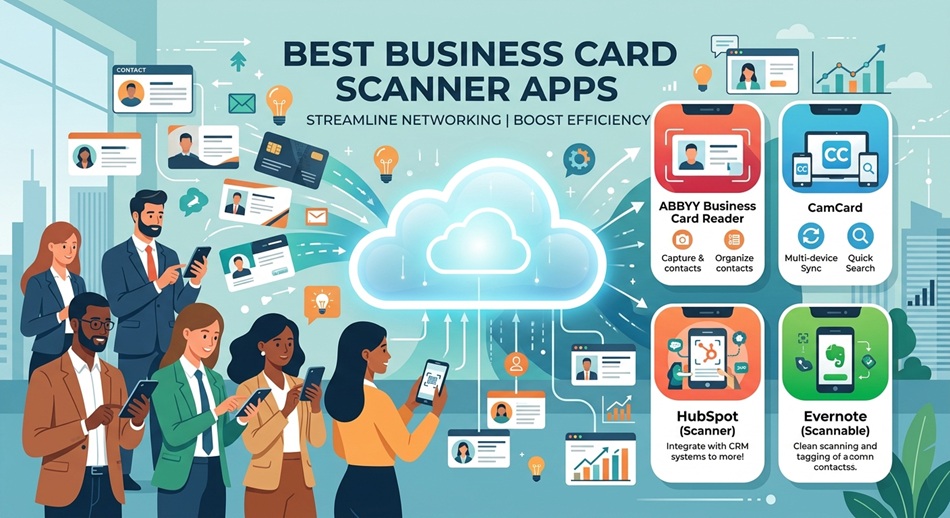
You just got back from a conference with 40 business cards in your jacket pocket, and you’re staring down two hours of manual data entry. That’s the exact problem business card scanner apps exist to solve. Not all of them solve it well, though. The difference shows up the first time you scan a card with a QR code, a metallic finish, or a name printed in Korean.
The best business card scanner apps combine three things: OCR that reads messy, glossy, or multilingual cards without butchering the phone number, a clean path into the CRM or contacts app you already use, and clarity about where your scanned data actually lives. Speed matters less than accuracy: a fast scan that mangles an email address just creates more work than the pile of cards did.
What Actually Makes a Business Card Scanner App Reliable
Every app in this space claims “99% accuracy,” and almost none of them define what that means. In practice, accuracy depends on three variables: font style (script fonts and low-contrast printing trip up even good OCR engines), layout complexity (two-sided cards, cards with logos overlapping text, cards in a second language), and whether a human reviews the output before it syncs anywhere.
Apps like Sansan and CamCard get closer to genuine accuracy because they layer human verification or large-scale pattern matching on top of raw OCR. Apps that rely purely on on-device text recognition (Adobe Scan, Microsoft Lens, Genius Scan) are faster and more private. You’ll still catch yourself fixing a digit here and there, though, especially on cards that mix Latin and non-Latin characters.
The second piece nobody talks about enough: where the data goes after the scan. Some apps process images on your device and only upload the extracted text. Others upload the photo itself to a cloud server for processing, which matters if you’re scanning cards that include NDAs’ worth of internal extension numbers or if you work somewhere with strict data-handling rules.
The Best Business Card Scanner Apps in 2026
I’ve used most of these at trade shows, sales kickoffs, and the kind of networking mixers where you end up with a stack of cards you’ll never sort through by hand. Here’s what actually held up.
1. CamCard: Best Pure Scanning Accuracy
CamCard is the app most people mean when they say “business card scanner.” It’s been around since before “AI-powered” was a marketing requirement, and its OCR engine reflects that maturity: it handles 16-plus languages, including Chinese, Japanese, and Korean, with noticeably fewer errors than newer entrants on double-byte character sets.
The free plan caps you at 100 total scans, which sounds generous until you realize that’s a lifetime limit, not monthly. After that, premium runs around $9.99/month or roughly $50/year. CamCard syncs to Salesforce and a handful of other CRMs, but its own contact-management interface feels more like a rolodex than a workflow tool.
Honest limitation: once you burn through the 100-scan free tier, there’s no going back to free. The app’s UI hasn’t been meaningfully modernized in years, either.
2. ABBYY Business Card Reader: Best for Structured, Layout-Aware OCR
ABBYY built its reputation on document OCR engines used inside enterprise software, and its business card reader inherits that layout-awareness. Where other apps sometimes swap the job title and company name on cards with unusual formatting, ABBYY’s engine reads the visual hierarchy of the card, not just a flat block of text.
It exports clean vCard and CSV files, which makes bulk import into Outlook or a CRM painless. Pricing sits in the subscription range typical for OCR-focused apps, generally cheaper than dedicated sales-team platforms.
Honest limitation: it’s a scanner, not a relationship tool. There are no built-in follow-up reminders or live two-way CRM sync, just clean exports you move yourself.
3. HubSpot Business Card Scanner: Best If You’re Already on HubSpot
If your team runs on HubSpot, this is the least friction you’ll find anywhere. It’s free with any HubSpot account, including the free CRM tier, and a scanned card becomes a contact record directly: no export step, no CSV, no mapping fields.
The OCR itself is solid for standard Western business cards but not built to compete with dedicated multilingual engines like CamCard or Covve.
Honest limitation: the value collapses to zero if you’re not using HubSpot. It’s not a standalone contacts app, and it doesn’t pretend to be.
4. Covve: Best for Personal Relationship Management
Covve is built around a different question than most of this list: not “how fast can I digitize this card” but “how do I actually stay in touch with this person.” Its scanner supports 30-plus languages and claims to be among the most accurate on the market, and unlike most competitors, unlimited scanning is on the free plan.
What you pay for is the relationship layer: smart reminders to follow up, news alerts when a contact changes jobs or gets mentioned in the press, and enrichment that fills in details the card didn’t have. Paid tiers run about $9.99/month billed annually or $12.99 month-to-month.
Honest limitation: if all you want is a fast scan-to-contact tool with zero relationship-management overhead, Covve’s extra features can feel like clutter.
5. Blinq: Best for Sales Teams and Event Booths
Blinq started as a digital business card platform and added paper-card scanning as teams asked for it, which shows in how well it handles the “booth at a trade show” scenario: scan a stack, tag them by event, and push verified contacts straight into Salesforce or HubSpot without a sales rep touching a spreadsheet.
Team plans include admin controls for tracking who scanned what and when, useful for measuring event ROI rather than just hoarding contacts.
Honest limitation: it’s optimized for teams with a CRM already in place. A solo consultant scanning the occasional card is paying for infrastructure they won’t use.
6. Sansan / Eight: Best for Enterprise Teams That Want Human-Verified Data
Sansan is the one app on this list most US readers haven’t heard of, and that’s a gap. It’s one of the few services that backs OCR with actual human data-entry staff cross-checking the scan, which produces meaningfully cleaner records on messy or non-standard cards than pure-software competitors. Eight is its consumer-facing sibling, free for individuals.
Enterprise Sansan pricing is quote-based and per-seat, aimed at companies digitizing thousands of cards a month rather than a single sales rep.
Honest limitation: the enterprise sales process and per-seat pricing make it overkill (and often unavailable) for individuals or small teams.
7. Adobe Scan: Best Free General-Purpose Scanner
Adobe Scan’s OCR is genuinely free, which is unusual in this category: most competitors gate text recognition behind a paid tier. It scans cards cleanly, auto-crops and straightens the image well, and saves everything as a searchable PDF.
What it doesn’t do is create a contact automatically. You get a well-processed document, not a contact-card object you can one-tap into your phone or CRM.
Honest limitation: no dedicated “business card to contact” workflow. You’re still copying details out manually or exporting through Acrobat.
8. Microsoft Lens: Best for Microsoft 365 Shops
Microsoft Lens is free and scans business cards alongside whiteboards, documents, and receipts, saving directly to OneNote, Word, or PDF. On supported platforms it can extract contact info and save it into your phone’s native contacts app, which is genuinely convenient if you already live inside Outlook and Teams all day.
Honest limitation: contact-extraction accuracy is less consistent than dedicated business-card engines, and feature parity between iOS and Android has real gaps. Test it on your own device before relying on it at an event.
9. Genius Scan: Best Lightweight, Privacy-Conscious Option
Genius Scan’s core scanning is free and ad-free, with no account required to use the basics, a rarity in a category where most apps want your email before you scan your first card. It produces sharp, well-cropped images with minimal fuss.
The catch: OCR, which is what actually turns a photo of a card into usable, searchable contact text, sits behind the Genius Scan+ subscription.
Honest limitation: zero CRM integrations. Exports are PDF, JPEG, or plain text; you’re moving data yourself, every time.
10. Haystack: Best Personal CRM for Freelancers and Networkers
Haystack treats scanned cards as the start of a personal rolodex rather than a sales pipeline. It’s built for people who network constantly (freelancers, founders, recruiters) and want reminders and context on contacts without adopting a full sales CRM.
The free tier covers casual use; a paid Pro tier unlocks unlimited scans, cloud backup, and bulk export.
Honest limitation: integrations with enterprise CRMs like Salesforce are thin to nonexistent. This is a personal tool, not a team one.
At a Glance: Business Card Scanner Apps Compared
| App | Best For | Free Plan | Paid Pricing (approx.) | Standout Feature |
|---|---|---|---|---|
| CamCard | Pure scan accuracy, multilingual cards | 100 scans total | ~$9.99/mo or ~$50/yr | 16+ language OCR |
| ABBYY Business Card Reader | Clean, structured exports | Limited trial | Subscription, varies by platform | Layout-aware OCR |
| HubSpot Scanner | Existing HubSpot users | Free with HubSpot account | Free | Direct-to-CRM contact creation |
| Covve | Relationship follow-up, personal networking | Unlimited scans | ~$9.99–$12.99/mo | 30+ language OCR, reminders |
| Blinq | Sales teams, trade show booths | Limited | Per-user team pricing | Event tagging + CRM sync |
| Sansan / Eight | Enterprise teams, high-volume accuracy | Eight is free for individuals | Quote-based, per seat | Human-verified data entry |
| Adobe Scan | Free general scanning | Full OCR, free | Free (Acrobat add-ons extra) | Free text recognition |
| Microsoft Lens | Microsoft 365 users | Fully free | Free | OneNote/Outlook integration |
| Genius Scan | Lightweight, privacy-first scanning | Scanning free, OCR paid | Genius Scan+ subscription | No account required |
| Haystack | Freelancers, solo networkers | Limited scans | Pro tier, varies | Personal-CRM reminders |
What Most “Best Business Card Scanner” Roundups Get Wrong
Most lists in this category rank apps by scan speed and OCR accuracy percentages that nobody can actually verify. Speed is the least of your problems: every app on this list scans a card in under three seconds. What actually costs you time later is duplicate detection.
Scan the same person’s card at two different conferences six months apart, and a lot of these apps will happily create two separate contact records instead of recognizing the overlap. If you’re using a scanner tied into a CRM, ask specifically how it handles duplicates before you commit. It’s rarely mentioned on the pricing page, and it’s the difference between a clean contact database and a junk drawer.
The other thing roundups gloss over: a handful of “top 10” lists still recommend Evernote Scannable, which hasn’t seen meaningful development since late 2024 and still charges $49.99/year on the App Store. It works, technically, but you’re paying premium pricing for an app in maintenance mode at best.
Which One Should You Actually Pick
- Solo professional, occasional scanning: Microsoft Lens or Adobe Scan. Both free, both good enough for a card here and there.
- Frequent networker who wants to stay in touch: Covve or Haystack, built around follow-up, not just data capture.
- Sales team already on Salesforce or HubSpot: Blinq or the HubSpot scanner: skip the export step entirely.
- Multilingual cards, international events: CamCard or Covve give you the widest language coverage on this list.
- Enterprise volume, accuracy over speed: Sansan; human-verified entry is worth the sales call.
Frequently Asked Questions
How accurate is business card scanner OCR, really?
On clean, standard Western business cards, most established apps land in the 90-95% range for correctly extracted fields. Accuracy drops noticeably on script fonts, dark or metallic backgrounds, and cards mixing two languages, so always glance over the extracted contact before saving it.
Where does my scanned business card data actually go?
It depends on the app. Some process the image on your device and only send extracted text to the cloud; others upload the photo itself for server-side OCR. Check the app’s privacy policy if you’re scanning cards with information you’d rather not store on a third-party server.
What’s the real difference between free and paid business card scanner apps?
Free tiers typically cap total scans (CamCard’s 100-scan lifetime limit is the strictest example), limit OCR to Western languages, or strip out CRM sync and reminders. Paid tiers unlock unlimited scanning, wider language support, and export automation.
Can these apps scan cards in languages other than English?
Yes, but coverage varies a lot. CamCard and Covve both support 16 or more languages, including CJK (Chinese/Japanese/Korean) character sets. General-purpose scanners like Microsoft Lens and Adobe Scan handle non-Latin text less reliably.
Do business card scanner apps work offline?
Capturing the image always works offline. OCR processing usually doesn’t: most apps queue the scan and process it once you’re back online, so don’t count on instant contact creation with no signal at a remote venue.
Will scanning create duplicate contacts if I already have someone saved?
Sometimes, and this is the biggest unadvertised weakness in the category. CRM-native tools like the HubSpot scanner handle duplicate matching better because they’re checking against an existing contact database; standalone scanners are more prone to creating a second record.
Which app integrates best with Salesforce or HubSpot?
For HubSpot specifically, the native HubSpot scanner is hard to beat since it’s free and requires no export step. For Salesforce, Blinq, CamCard, and Sansan all offer direct sync, though team-tier pricing applies.
Can I scan a whole stack of cards at once?
Batch scanning is common but not universal. CamCard, Covve, and Blinq all support scanning multiple cards in one session; Genius Scan and Adobe Scan are built more around single-document capture, though you can queue several scans back to back.
Is Google Lens good enough for free business card scanning?
For a one-off card, Google Lens can extract text and even offer to save a contact on Android. It’s not built specifically for business cards, though, so it lacks the contact-field structuring, CRM export, and duplicate handling that dedicated apps provide.
Is Evernote Scannable still worth using in 2026?
Not really. It still works and still charges $49.99/year, but it hasn’t had a meaningful update since late 2024. Given the free and actively maintained alternatives on this list, there’s little reason to pay premium pricing for a stagnant app.