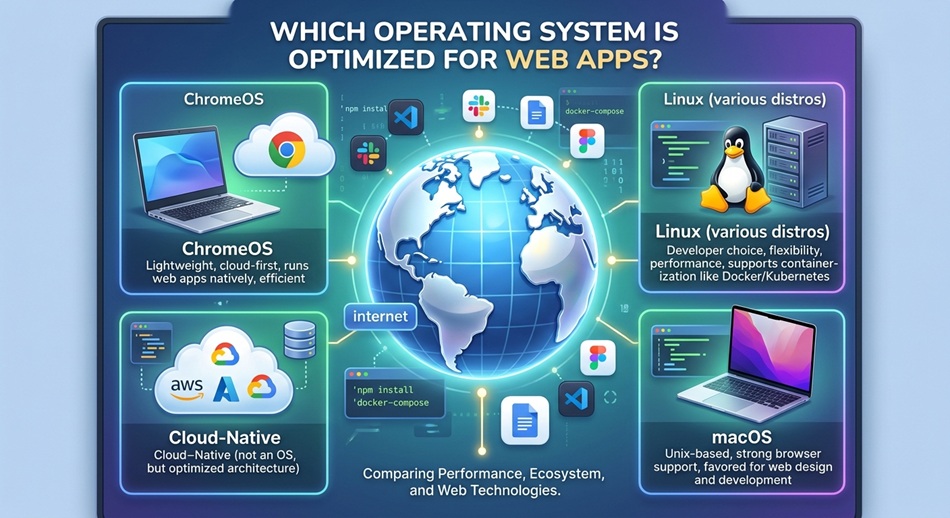
ChromeOS is the operating system actually built around web apps, since the entire interface is a browser with a taskbar wrapped around it, and it gets the best Progressive Web App (PWA) support and the least resource competition from background native software. If you need a general-purpose OS that also runs native software well, Windows 11 and modern macOS both run web apps at essentially native speed too, since Chrome, Edge, and Safari all use hardware-accelerated rendering and full PWA install support. The real differences show up in installability, offline support, and how much of the OS is fighting the browser for resources, not in raw rendering speed.
I get asked this a lot by people setting up a budget laptop or a secondary machine that’s mostly going to run Gmail, Slack, Notion, and a handful of other apps in browser tabs. The honest answer is that “optimized” means different things depending on what you’re actually comparing, so I’m breaking this down by what typically matters: install support, offline behavior, performance, and battery life.
What “optimized for web apps” actually means
A web app is just a website that behaves like software, usually through a Progressive Web App, which lets a browser tab install itself as a standalone window with its own icon, its own taskbar entry, and (on supported browsers) offline caching through a service worker. When people ask which OS is best for this, they’re usually asking about some mix of:
- How well the OS lets you install and manage web apps as separate, first-class windows
- How much offline functionality survives once installed
- How fast the browser itself renders and executes, since that’s the actual engine running the app
- How much of your battery and RAM the rest of the OS eats up while the browser is running
Once you split it out that way, the comparison gets a lot more specific.
ChromeOS: built around web apps from the ground up
ChromeOS doesn’t really have a separate “app layer” the way Windows or macOS do. Chrome is the interface, and everything else, including Android apps through the Play Store and Linux apps through Crostini, is layered on top of that browser-first foundation. That means PWAs get first-class treatment: installing one from the browser puts it in the app launcher exactly like a native app, and there’s essentially zero competing overhead from a separate native app ecosystem draining resources in the background.
The trade-off is obvious: if you need serious native software (video editing suites, most PC games, professional design tools), ChromeOS is limiting. But purely for running web apps, it has the least friction of any mainstream OS.
Windows 11: the best all-around option if you also need native apps
Windows 11 has genuinely good PWA support through Edge (and Chrome, if you prefer it). You can install a site as an app from the browser’s menu, and it shows up in the Start menu, taskbar, and Windows search just like a native program, complete with its own window and jump list. Performance is essentially identical to ChromeOS for the browser workload itself, since both are running the same underlying rendering engine on comparable hardware.
Where Windows loses ground is background overhead: Windows Update, background services, and whatever bloatware came preinstalled on a given machine all compete with your browser for RAM and CPU cycles in a way ChromeOS mostly avoids. On a well-maintained, reasonably specced Windows machine this difference is small. On a budget laptop with 4GB of RAM, it’s very noticeable.
macOS: strong PWA support with Apple’s own trade-offs
Safari’s PWA support has closed most of the gap with Chrome and Edge over the past few years, including offline caching and installable web apps that live in Launchpad and the Dock like any other app. macOS also tends to manage background memory and battery more efficiently than Windows on comparable hardware, which benefits any browser-heavy workload, web apps included.
The catch is that some PWA features (certain push notification behaviors, specific service worker APIs) have historically landed on Safari later than on Chromium-based browsers, so a web app that leans on cutting-edge browser APIs may work slightly better in Chrome on a Mac than in Safari on the same machine.
Linux: lightweight and browser-first, with some caveats
A minimal Linux distribution has the least background overhead of any desktop OS, which is a genuine advantage for web apps on older or lower-spec hardware. Chrome, Firefox, and Chromium-based browsers all support PWA installation on Linux, and the resulting apps behave the same as they do on Windows or macOS.
The caveat is consistency: PWA integration with the desktop environment (icons, notifications, taskbar behavior) varies more across Linux distributions and desktop environments than it does across Windows and macOS, since there isn’t one single reference implementation the way there is on the other two platforms.
What about mobile? Android vs. iOS for web apps
On Android, Chrome lets you install a PWA to the home screen with full offline support and push notifications, and it behaves close to a native app. iOS has caught up significantly since Apple added Web Push support for home-screen web apps in iOS 16.4, but Safari still enforces stricter limits on things like offline storage size and background activity for installed web apps compared to Chrome on Android. If a specific web app is central to how you work, Android currently gives it slightly more room to behave like a real app.
So which one should you actually pick?
If web apps are genuinely most of what you do and you don’t need native software, ChromeOS gives you the least friction and the lowest price for capable hardware. If you need native apps too, Windows 11 and macOS are both excellent for web apps specifically, so the decision comes down to which native software ecosystem you actually need, not which one runs your browser tabs better. Linux is a strong pick if you’re comfortable maintaining it and want to squeeze web app performance out of older hardware.
Frequently asked questions
Do web apps run slower than native apps?
Not meaningfully, for most everyday software. Modern browsers use hardware-accelerated rendering and JavaScript engines fast enough that a well-built web app feels nearly identical to native software for things like email, chat, note-taking, and project management. The gap shows up mainly in CPU-intensive work like video editing or 3D rendering, where native software still has an advantage.
Is ChromeOS only good for web apps?
ChromeOS also supports Android apps through the Play Store and Linux applications through its built-in Linux environment, so it’s not strictly limited to the browser anymore. It’s just that web apps get the smoothest, most native-feeling integration of the three.
Does installing a PWA use less storage than a native app?
Usually, yes. A PWA typically caches only what it needs for offline use rather than shipping a full application bundle, so installed web apps tend to take up noticeably less storage than their native app equivalents.
Why does the same web app sometimes feel different on different browsers?
Because browser engines implement web standards, including PWA-specific APIs, at slightly different paces. Chromium-based browsers (Chrome, Edge, Brave) tend to support new PWA features earliest, Firefox is usually close behind, and Safari has historically been the slowest to adopt some of these APIs, though it has closed much of that gap in recent years.
Can I use web apps offline?
If the web app is built as a PWA with a service worker, yes, at least for the features the developer chose to make available offline. Not every website offers this, so offline support depends on how the specific app was built, not just which OS or browser you’re using.