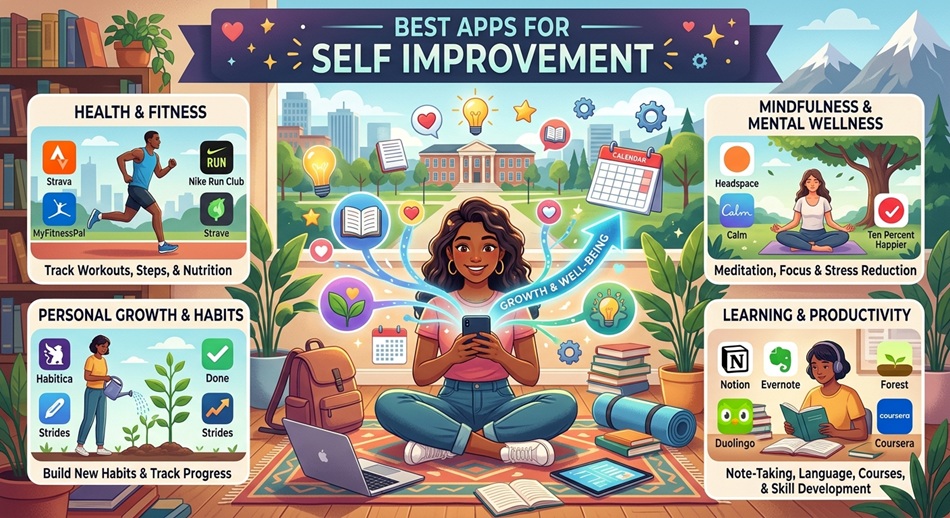
Search “best apps for self improvement” and you’ll find lists of 20+ apps, a comparison table, and not much else. That’s not useless, but it skips the part that actually matters: most people who download a self-improvement app stop opening it within two weeks. The app didn’t fail because it lacked features. It failed because it added friction at the exact moment the person’s motivation was already running low.
This list is shorter on purpose: 10 apps, organized by the goal they actually solve, with real pricing and a limitation for each one that the app’s own marketing page won’t tell you.
What Actually Makes a Self-Improvement App Work
The apps that stick are the ones with the lowest friction between “I should do this” and “I did this.” One-tap logging, forgiving streaks that don’t reset to zero on a missed day, and reminders tied to an existing habit beat apps with more content, more courses, or more customization. Feature depth is what gets an app downloaded. Friction is what determines whether it’s still on your phone in April.
That’s the filter I used here. Every app below has real substance, but I weighted how it feels on day 12, not day one, because day one is easy for every app on this list.
Best Self-Improvement Apps at a Glance
| App | Best For | Standout Feature | Starting Price |
|---|---|---|---|
| Habitica | Habit tracking (gamified) | RPG mechanics with real consequences | Free; $4.99/mo for Habitica Plus |
| Streaks | Habit tracking (minimalist) | 12 habits, zero setup friction | $4.99 one-time (iOS only) |
| Headspace | Structured meditation | Themed courses, not just timers | Free trial; $12.99/mo |
| Insight Timer | Meditation on a budget | 150,000+ free guided sessions | Free; $59.99/yr for Member+ |
| Day One | Journaling | Automatic photo, location, weather logging | Free tier; $34.99/yr premium |
| Duolingo | Language learning | Streak psychology done right | Free; $12.99/mo ad-free |
| MyFitnessPal | Nutrition tracking | Massive food database, barcode scan | Free; $19.99/mo Premium |
| Rocket Money | Financial discipline | Auto-cancels unused subscriptions | Free; “pay what you think is fair” Premium |
| Fabulous | Routine building | Science-backed morning/evening sequences | Free trial; $49.99/yr |
| Finch | Low-effort self-care | Virtual pet tied to tiny real tasks | Free; $34.99/yr premium |
Habit Tracking Apps
Habitica: Best for People Who Need Stakes
Habitica turns your to-do list into a role-playing game. Skip your habits and your character takes damage; keep them up and you level up, earn gold, and unlock gear. It sounds gimmicky until you’re 40 days into a streak and genuinely don’t want your avatar to die because you skipped flossing.
It works especially well for people who respond to loss aversion more than reward: the fear of losing progress is a stronger motivator for a lot of users than the promise of gaining something. Join a “party” and your friends’ characters take damage too if you slack off, which adds real social pressure.
Limitation: the interface is busy, and setting up your first set of habits, dailies, and to-dos takes 20-30 minutes, exactly the kind of upfront friction that scares off casual users before they see the payoff.
Streaks: Best for Minimalists
Streaks does one thing: it tracks up to 12 habits with a single tap and a clean iOS-native interface. No social features, no gamification, no content library. Apple has featured it as an Apple Watch app of the year more than once, and it’s the app I recommend to people who tried Habitica and found it overwhelming.
The “Streaks Workout” companion adds built-in exercises for fitness habits specifically, which is a nice bridge for people whose self-improvement goal is physical.
Limitation: it’s iOS and Apple Watch only, and 12 habits is a hard cap. That’s deliberate: the developer’s whole philosophy is that more than a dozen tracked habits is how people burn out.
Meditation and Mindfulness Apps
Headspace: Best for Structured Beginners
Headspace’s animated explainers and themed courses (stress, sleep, focus, relationships) give meditation a curriculum instead of just a timer. If you’ve tried meditating before and quit because you didn’t know what you were supposed to be doing, Headspace’s step-by-step structure solves that specific problem better than almost anything else on this list.
Its sleep content and “SOS” sessions for acute anxiety are genuinely useful outside of a formal meditation practice. You can open the app mid-panic-attack and get something immediately actionable.
Limitation: $12.99/month is steep for a single-purpose app, and the free tier is thin: a handful of sessions, then a hard paywall.
Insight Timer: Best Free Option
Insight Timer’s free library dwarfs every competitor: over 150,000 guided meditations from thousands of different teachers, plus live events and music tracks. You can sample a dozen teaching styles before spending a cent, which matters because meditation apps are one of the few categories where “does this teacher’s voice annoy me” genuinely determines whether you keep using it.
Limitation: the sheer volume is also the problem: with no curriculum, new users often spend more time browsing than meditating, and the app’s discovery algorithm isn’t great at narrowing things down.
Journaling Apps
Day One: Best for Consistent Journaling
Day One auto-captures the boring metadata (time, location, weather, even your step count if you let it) so entries feel richer without extra typing. End-to-end encryption and a genuinely good search function mean it holds up as a long-term archive, not just a habit-tracking gimmick with a diary attached.
The daily reminder notification is customizable down to the minute, and multiple journals (one for gratitude, one for work, one for a specific project) keep entries from turning into an undifferentiated wall of text.
Limitation: the free tier caps you at one journal and no PDF export. You’ll hit the paywall fast if you’re serious about it, and at $34.99/year it’s pricier than most single-purpose journaling apps.
Learning Apps
Duolingo: Best Streak Psychology, Applied to Learning
Duolingo deserves credit most self-improvement roundups skip: its streak, league, and gem system is the single best-executed retention mechanic of any app on this list, and it was built specifically for language learning, not bolted on afterward. Five-minute lessons fit into a bus ride or a coffee break, which is the entire point: the app is optimized for showing up daily more than it is for deep fluency.
Limitation: critics are right that Duolingo alone won’t make you conversationally fluent. It’s excellent at vocabulary and pattern recognition, weaker at real speaking practice. Pair it with a conversation app or tutor if fluency is the actual goal.
Fitness and Sleep Apps
MyFitnessPal: Best for Nutrition Awareness
MyFitnessPal’s food database is the deepest of any consumer nutrition app, and the barcode scanner turns logging a snack into a five-second task instead of a research project. For people whose self-improvement goal is body composition or just eating with more awareness, the daily calorie and macro breakdown is the fastest way to see patterns you can’t see by eyeballing your plate.
Limitation: logging fatigue is real. Most people who quit MyFitnessPal quit because manual entry gets tedious around week three, not because the data isn’t useful. The free version is also increasingly ad-heavy, which pushes people toward the $19.99/month Premium tier faster than it used to.
Finance Discipline Apps
Rocket Money: Best for Passive Financial Improvement
Rocket Money earns its spot because financial self-improvement is usually a self-improvement blind spot: it’s the category where most roundups just tack on a budgeting app and move on. Rocket Money’s actual differentiator is that it scans your linked accounts for recurring subscriptions and will negotiate bills or cancel subscriptions on your behalf, which requires zero ongoing willpower. That matters, because budgeting apps that require daily categorizing tend to get abandoned the same way food-logging apps do.
Limitation: the “pay what you think is fair” premium pricing is a bit of a trick: the slider defaults to a higher amount than most people would choose on their own, so read it carefully before confirming.
Gamified, All-in-One Routine Apps
Fabulous: Best for Building a Whole Routine, Not One Habit
Fabulous, built out of Duke University behavioral science research, walks you through building a connected sequence of habits, a morning routine, not just “drink water.” The coaching voice and journey-based structure make it feel less like a checklist app and more like a program, which suits people who’ve tried and failed at isolated habit tracking before.
Limitation: at $49.99/year it’s one of the pricier picks here, and the coaching tone (cheerful, insistent notifications) that some users love is the exact thing others find irritating enough to uninstall within a week.
Finch: Best for Low-Effort Days
Finch ties self-care tasks to caring for a small virtual bird: feed it, dress it, send it on a “journey” by completing tiny real-world tasks like drinking water or sending a text you’ve been avoiding. The tasks are deliberately tiny, which is the whole design philosophy: on a bad mental health day, “get out of bed” can be a completable task that still moves your bird forward.
Limitation: the cuteness that makes it approachable also caps its ceiling. If you want serious habit analytics or long-term data, Finch’s reporting is thinner than Habitica’s or Streaks’.
What Most “Best Apps” Roundups Get Wrong
Most lists treat these apps as interchangeable content libraries and rank them by feature count. That’s backwards. A meditation app with 10,000 sessions and one with 150 will get used at roughly the same rate if the second one has a better reminder system and a lower-friction “start” button, because nobody finishes browsing 10,000 sessions before their motivation window closes.
The other thing roundups oversimplify: stacking apps. A common piece of advice is to grab one app per category (a habit tracker, a meditation app, a journal, a fitness tracker) and run them together. In practice, four apps means four separate notification streams, four separate streaks to maintain, and four opportunities to feel behind. Pick one goal that’s actually bothering you right now, get one app for it, and only add a second once the first one is boring instead of effortful.
Price also gets treated as a simple “free vs. paid” toggle, but the real cost comparison is time. A free app you abandon in nine days costs more than a $50/year app you actually use, because the nine days of half-effort didn’t move you toward anything.
Frequently Asked Questions
What is the best free app for self improvement?
Insight Timer for meditation and Habitica for habit tracking are both fully functional without payment. Duolingo’s core lessons are also free indefinitely, with ads as the trade-off rather than a paywall.
Can one app cover multiple self-improvement goals at once?
Fabulous and Finch both blend habit tracking with routine building and light journaling, which makes them the closest thing to an all-in-one option. Most single-purpose apps (Headspace, Day One, MyFitnessPal) do their one job better, but you’ll need separate apps for separate goals.
How long does it take for a habit app to actually change a habit?
Behavioral research generally puts habit formation somewhere between 18 and 254 days depending on the habit’s complexity, with 66 days as a commonly cited average. Don’t expect a habit app to “finish the job” in three weeks. Treat the first month as just proving you can show up, not as the whole process.
Do gamified apps like Habitica actually work better than plain habit trackers?
For some people, yes: the game mechanics add a second reason to show up beyond the habit itself. For others, the extra layer becomes its own distraction. If you’ve tried a plain tracker like Streaks and found it too easy to ignore, gamification is worth trying next; if you found Habitica’s interface overwhelming, a minimalist tracker is the better fix.
Is it better to use one self-improvement app or several?
Start with one. Running four or five apps at once splits your attention and creates four separate streaks to protect, which is a common reason people abandon all of them within a month. Add a second app only once the first has become automatic.
Are paid self-improvement apps actually worth it over free versions?
Usually yes if you’re using the free version’s core loop regularly and hitting its limits, like Day One’s single-journal cap or MyFitnessPal’s ad load are good examples. If you haven’t used the free tier consistently for at least two weeks, paying for premium first won’t fix a motivation problem.
What’s the single biggest reason people quit self-improvement apps?
Friction at the moment of use, not lack of features. A habit tracker that requires three taps to log something loses users faster than one that requires one tap, even if the three-tap version has better analytics.
Which app is best for someone who has never used a self-improvement app before?
Finch or Streaks. Both have almost no learning curve, which matters more for a first app than depth of content. You want to build the habit of opening an app daily before you worry about which app has the most features.